If you have a brand account on Instagram, either as a company or as a professional, you will know that this platform only allows us to put a permanent link in the biography of the profile.
In this tactic, we explain how Team/Advisor Landing can help you get the most out of the Link In Bio on Instagram.
How to use Team Landing or Advisor to convert more on Instagram?
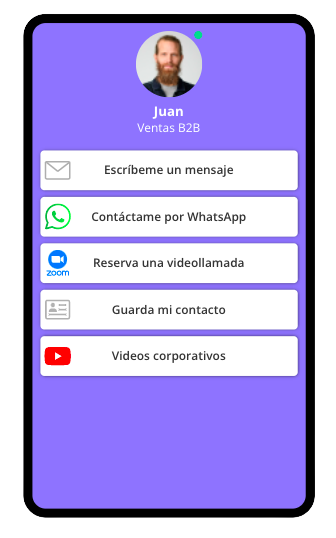
The Team landing page is a link that shows the contact details of all the consultants and also contains a list of links.
So, on a single page you can display everything you need to direct your customers to where you want them to go: a website, a payment link, a promotion or initiate a contact with someone on your team.
Where can I find the Team Landing link?
- Log in to your account at Lead2Team.
- Go to Configuration > Landing Team.
- Customize the page view: background and header image.
- Add the company links from Configuration > Agents, and edit the company agent.
Where can I find the Advisor Landing link?
- Log in to your Lead2Team account.
- Go to Configuration > Agents.
- Select an agent and adds the agent links.
- Click on the "Insert/Share" button and copy the link.
1. Add the link in the company's profile
To do so, all you have to do is:
- Log in to your Instagram account and click on the "Edit" button on the profile.
- Add the Team or Advisor URL in the "Web Site" field.
- Save changes.
2. Promote a specific product
Advertising on Instagram is a great option to reach more audience and although the cost is getting higher and higher, it works very well for many companies.
You can advertise a product or service and place the Team Link to encourage users to initiate a commercial contact.
3. Send the link by private message
When a user asks you a question by direct message, you can send him the link to the Team Landing and tell him the next action. For example, click on the link to the promotions of the month or click on the web payment link, etc.
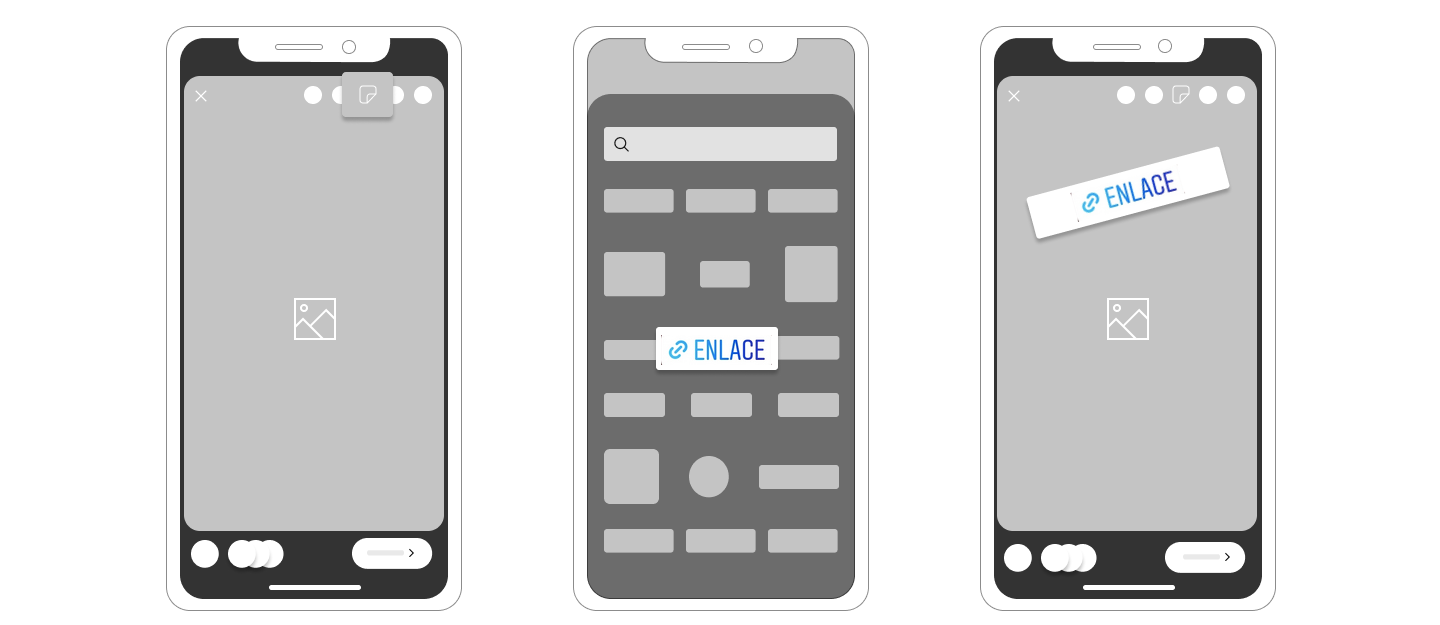
4. Use the Link sticker in your stories.
The option to add a link to Instagram stories was a privilege that only profiles with more than 10,000 followers could enjoy. But this platform (now owned by Facebook) has announced that there will no longer be restrictions in this regard and that all users will be able to include links in their stories.
You can do this in the following way:
- Upload a photo to your story of Instagram.
- Click on the icon that looks like a smiley face.
- Choose the icon Link o Link. It is greenish blue in color.
- Insert the Team or Advisor Link.
- Place it where you want it to be seen and publish the story.