5 Modern Ways to Organize Your Business Cards

Five ways to organize business cards: digital card, CRM, album, Rolodex and card holder. When each one makes sense and how a sales team solves it.
The five most practical ways to organize business cards are moving them to digital cards, entering them in a CRM, keeping them in an album, sorting them in a Rolodex or carrying them in a card holder. The first two make contacts searchable and easy to follow up; the other three are for people who prefer to keep the paper. Below we explain when each one makes sense.
The scene is familiar: you leave a meeting with three cards in your pocket and, days later, one is crumpled and you cannot remember who gave you another. If you also manage a sales team, the problem multiplies with every person who goes to trade shows and client visits.
1. Digital cards: the contact saves itself
With a digital business card the exchange changes direction: the other person scans your QR or taps their phone on your NFC card and saves your details to their contacts as a vCard, with nothing to type. If it is your first time with one, we cover what an NFC card is and how it works. If you are the one who wants to keep their details, the card includes a form so they can leave you their contact. Every interaction is logged with date and time and can be exported to the CRM or a spreadsheet.
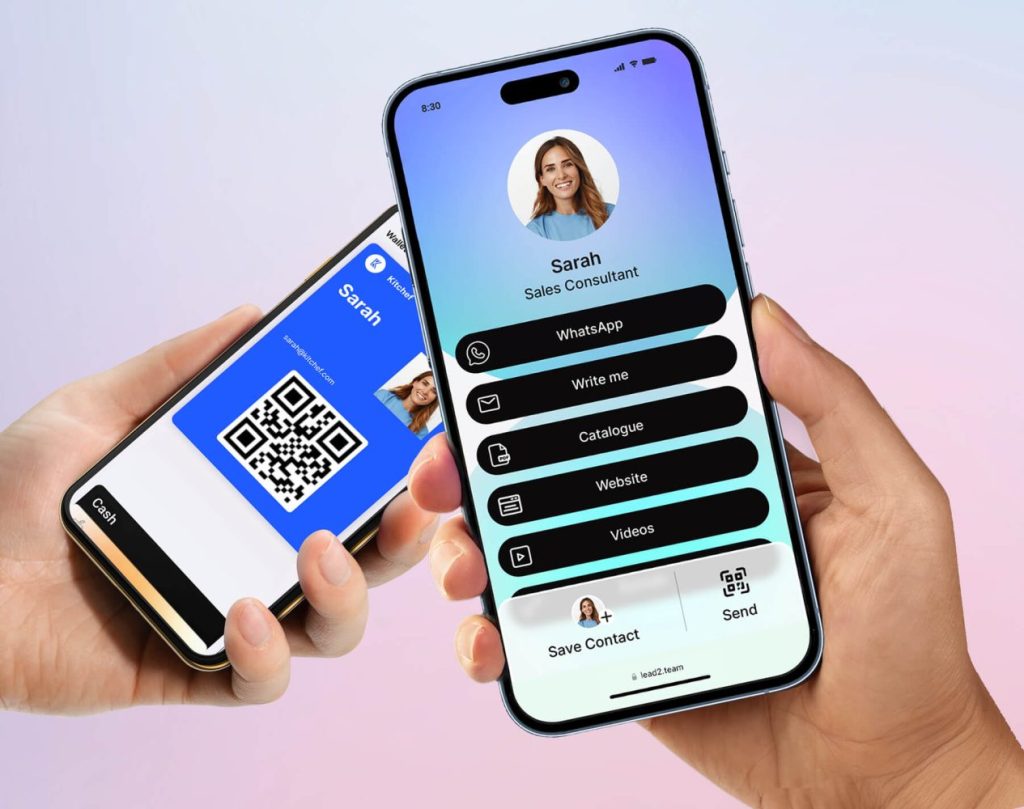
What it adds over paper:
- You share your contact with one gesture, by QR, NFC, link or email signature (here are the seven ways).
- The other person's details reach the CRM or Excel without retyping them.
- There is nothing to print or restock.
- If you change phone number or job title, you update the profile and the QR stays the same. Here is how to make a vCard with a QR code, step by step.
2. A CRM: every contact, searchable
The CRM is the tool for any company that wants to follow up its contacts in an orderly way. It works both for the details that arrive from a digital card and for the paper cards you keep receiving, which will need scanning or typing. It takes more work up front, but afterwards you find someone by company, date or event in seconds.
3. Card albums: paper, in plain view
If you prefer to keep physical cards, an album keeps them sorted and visible at a glance. It is the choice of people who attend many events and want to leaf through what they brought back from each one. Some albums take new pages as the collection grows.
4. The Rolodex: a classic that still works
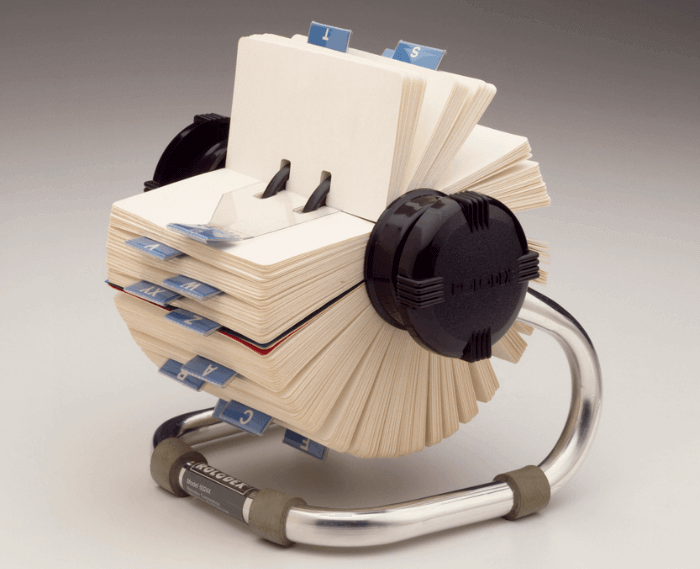
The Rolodex is the old rotating card file: cards sorted alphabetically, on the desk, with nothing to switch on. It is no longer common, but it remains a solid option for offices where several contacts need to be in view and for anyone who wants their contacts physical and within reach of the desk.
5. The card holder: carrying paper without creases
A card holder on the desk or in your bag keeps cards sorted and unbent. It is the minimum option for anyone still using paper who wants to avoid the chaos of loose cards. If you travel a lot, pick a thin, light one.
Why digital cards end up winning
Paper gets lost, gets messy, costs money and cannot be updated. The digital card solves all four and also holds more information: links to social media, website, videos, catalogues or a calendar to book a meeting. Your details are always current and whoever meets you has everything they need from you in one place.
For sales teams: one dashboard instead of a hundred card holders
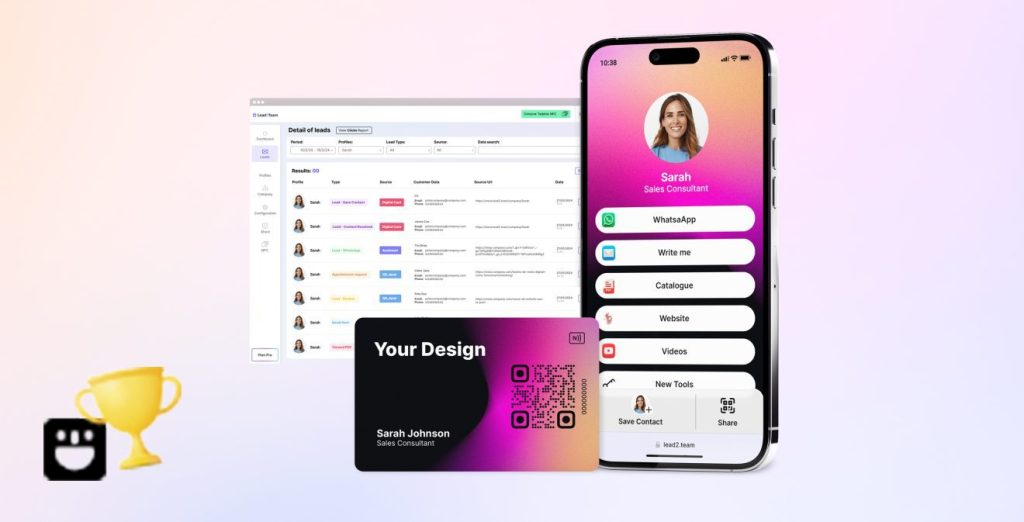
When the sales network has dozens of people, organizing cards stops being a personal matter. Lead2Team manages the whole team's digital cards from one dashboard: the company sets the design, onboards people and sees which contacts each card generates, with CRM integration and data export. If that is your case, take a look at the team digital card.
Common questions
What people ask most about keeping a contact network alive
How the return on networking is measured, how often it is worth doing and which mistakes undo it.
- What is professional networking and why does it matter?
Professional networking means building and maintaining a network of contacts that generates mutual value. It matters because a good share of business opportunities arrive through professional relationships rather than advertising: who knows and trusts you counts as much as who you are.
- What's the difference between digital and in-person networking?
In-person networking happens at events, trade fairs and face-to-face meetings, and creates deeper connections. Digital networking takes place on LinkedIn, email and other platforms, and lets you scale and maintain the relationship at a distance. Neither works well alone: combining them is what pays off.
- How do I measure the return on networking?
New contacts per month, follow-up rate, second meetings secured, opportunities opened and the value of those opportunities. If the first contact comes in through a digital tool, traceability all the way to the result is automatic and measurement stops being guesswork.
- How do I keep my network alive over the long term?
Share content that's actually useful, congratulate professional milestones, offer help without expecting anything back, schedule a periodic check-in with the people who matter most and show up at your industry's events regularly. Add value consistently, not only when you need something.
- What mistakes should I avoid in professional networking?
The five usual ones: selling on first contact, not following up, only showing up when you need something, having no professional way to share your details, and sending generic messages without personalising them.
- How often should I network for it to be effective?
It has to be a continuous practice, not a push right before a trade fair. Two or three hours a week is plenty: attend the occasional event, engage on LinkedIn and follow up with recent contacts. Consistency pays off more than intensity.
Contacts that arrive already sorted
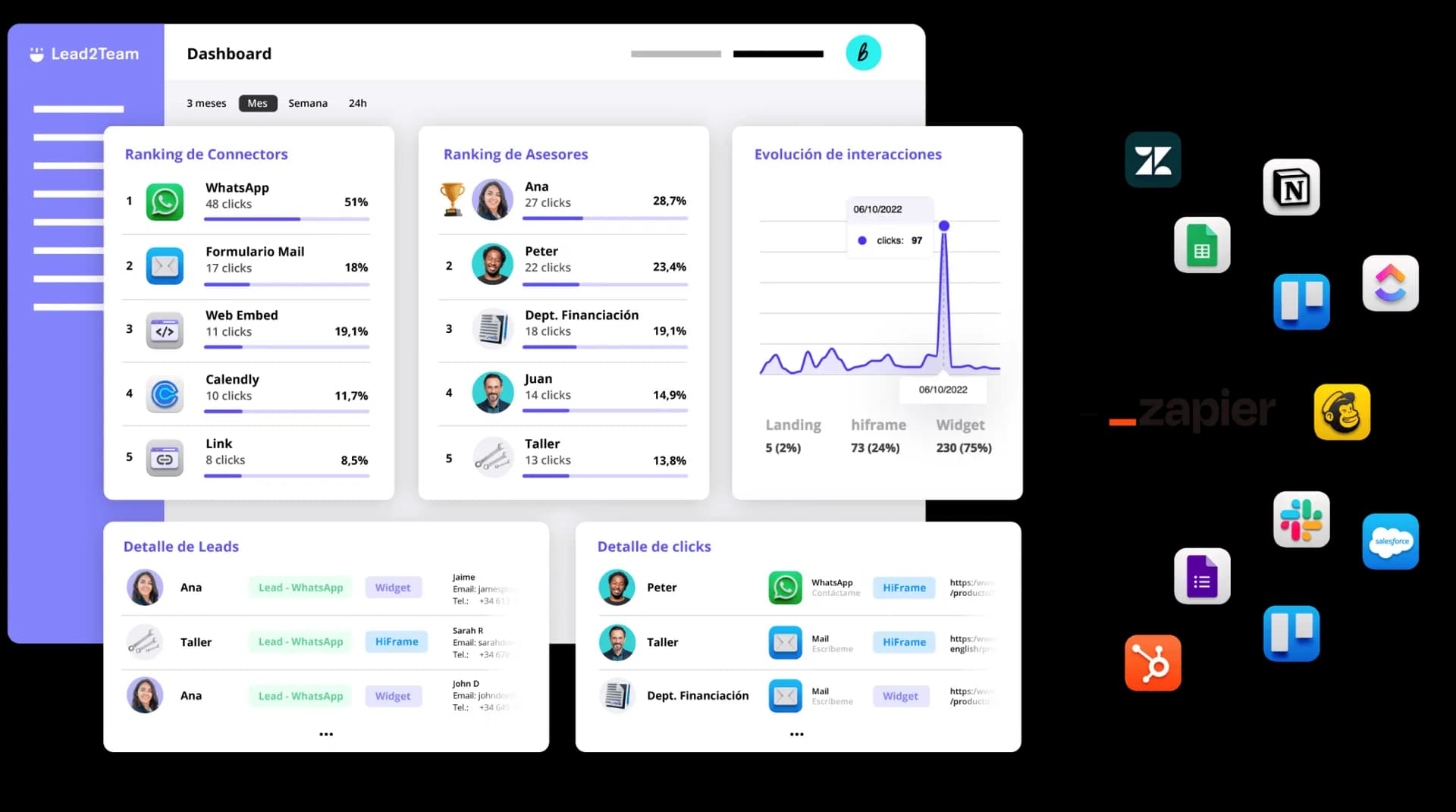
Sorting paper cards is work that never ends. With your team's cards in Lead2Team, every contact is logged with date and time and goes to the CRM with nobody typing it.

Put it into practice with your team
Create your team's digital cards and share them in seconds, with full brand control.